
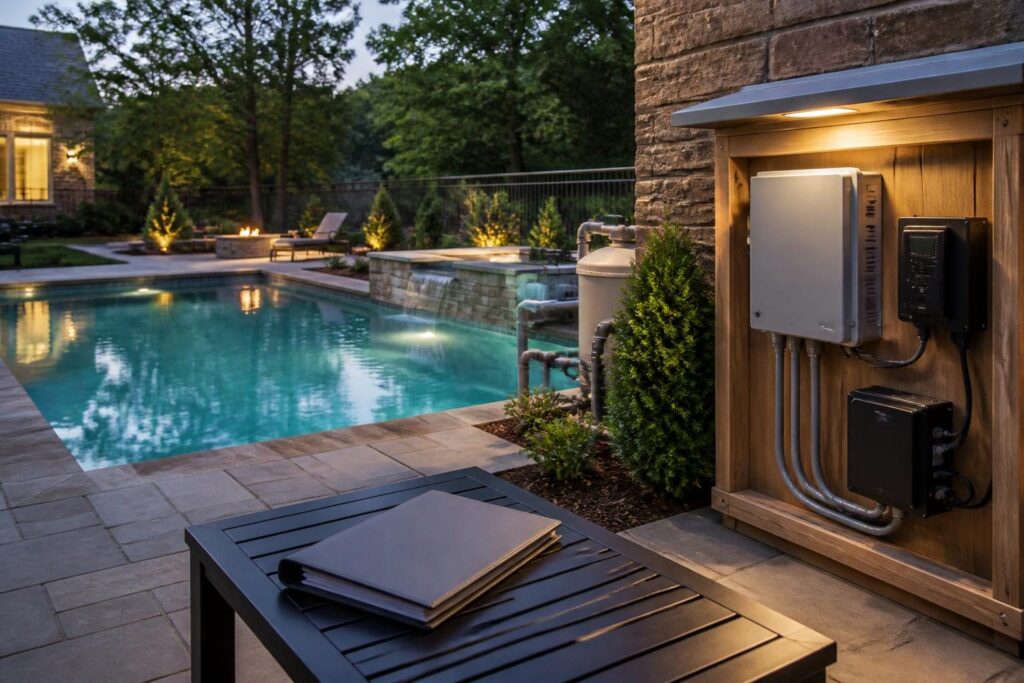
Good pool lighting transformer control documentation gives you more than a manual in a folder. It connects each low-voltage light to its transformer, control method, location, replacement information, and safe operating instructions. That record can save time when a light stops working, a control changes, or a future service professional needs to understand the installation.

Lighting handover also deserves careful boundaries. A homeowner can collect labels, photographs, model numbers, and demonstrations. Electrical connections, troubleshooting inside equipment, and changes to a lighting system should be handled by a qualified professional. North Carolina requirements can vary by jurisdiction, adopted code, property conditions, and project scope.
Why pool lighting transformer control documentation matters
A pool light may appear simple from the deck, but the visible fixture is only one part of the system. Depending on the design, the installation may include a light niche or nicheless fixture, low-voltage cable, junction points, a transformer, switches, automation equipment, and a control application or remote.
These parts may not sit in the same place. A transformer could sit near other pool equipment, while the wall switch or automation panel is elsewhere. Without a clear record, a future owner or service provider may need to trace the system from scratch. That work can become harder after landscaping, decking, storage changes, or equipment replacement.
Useful records can help you:
- Identify which transformer serves each lighting circuit.
- Understand whether lights operate from a switch, timer, automation panel, remote, or app.
- Locate equipment without opening electrical enclosures.
- Order a compatible replacement part when a component fails.
- Preserve instructions for normal operation and seasonal settings.
- Show what the project team documented at handover.
Do not assume that two lights with similar appearances use the same transformer or control system. Record the actual installed equipment, not only the product shown in an early proposal. A complete file makes pool lighting transformer control documentation useful to the next person who services the system.
Core transformer records to collect at handover
The transformer changes incoming power to the low-voltage output used by compatible pool lighting equipment. You do not need to calculate electrical capacity yourself. Instead, ask the installer or electrician to identify the installed unit and explain its intended use.
Record the transformer identity
- Manufacturer and complete model number.
- Serial number, if provided.
- Rated input and output information shown on the label.
- Installed date or project handover date.
- Warranty document and registration instructions, if applicable.
- Replacement transformer guidance from the installer or manufacturer.
Take a clear photograph of the data label. Include a wider photograph showing the transformer in context. Store the original image at full resolution, because a compressed messaging-app image may not preserve small label text.
Ask whether one transformer serves all lights or whether separate units serve different zones. If there are multiple transformers, assign each one a simple identifier, such as “Transformer A” or “Waterline lights.” Use the same identifier in photographs, drawings, and notes. Those identifiers form the backbone of your pool lighting transformer control documentation.
Keep location and access information
Write down the transformer’s location using permanent features. For example, note its relationship to the equipment pad, house wall, panel, or other fixed reference. Avoid relying only on temporary construction markers or a description such as “behind the bushes.”
Ask the qualified installer to explain service access, weather protection, ventilation concerns, and items that should not block the equipment. This general explanation does not establish an electrical clearance or installation method for your property.
A simple location sheet can include:
- Equipment identifier.
- Room, wall, pad, or enclosure location.
- Photo reference numbers.
- Upstream control or disconnect identification, if the professional provides it.
- Access notes for future service.
For broader equipment-location questions, see the pool electrical equipment location planning checklist. It can help you preserve a useful service-area map without treating homeowner notes as professional review.
Document controls, zones, and normal operation
Lighting controls are often the least obvious part of a handover. A system may use a dedicated switch, shared control panel, schedule, wireless remote, or mobile application. Some systems can also change colors or scenes through a specific sequence of commands.
Ask the installer to demonstrate each normal control path while you take notes. The demonstration should cover:
- Which control turns each light or zone on and off.
- How to select a color, scene, or brightness setting, if supported.
- Whether lights share a circuit or operate independently.
- How a programmed schedule works.
- What happens after a power interruption.
- How to change remote batteries, if relevant.
- How to transfer or reset app access without deleting useful settings.
Do not make undocumented control changes during the demonstration. Record the normal settings first. If an app is involved, save the app name, account ownership details, pairing steps, and recovery instructions in a secure location. Never place passwords in an unsecured project folder.
Write control notes in plain language. “Pool lights, switch two” is useful only if the switch has a label. Add a photograph of the labeled control and identify its location. If a control has multiple buttons, record what each button does during normal operation. This is a central part of pool lighting transformer control documentation.
Connect each light to its location
Replacement work becomes easier when the records identify each light’s physical location. A plan view can show the pool outline, light positions, steps, benches, tanning ledges, spa areas, and nearby fixed features. The drawing does not need to be an engineered electrical plan. It should be a clear homeowner reference.
For each light, record:
- Unique light identifier.
- Location by pool side, feature, or clock-face description.
- Transformer and zone identifier.
- Control used for that light.
- Fixture manufacturer and model, if available.
- Lens, trim, niche, or mounting information shown in product records.
- Photographs taken from the deck and a wider property view.
Use consistent names. If the drawing says “L1,” the control sheet and replacement notes should also say “L1.” Avoid labels that depend on a temporary construction direction, such as “left light,” unless you define the viewing position.
Construction photographs can preserve hidden routing and component locations. The guide to documenting pool construction offers a broader approach to organizing photographs, measurements, and project records. Keep lighting images with the final record set.
Collect replacement and service information
A useful handover file answers the question, “What exact part is this?” It should not force a future service professional to guess from a product photograph. Ask for the installed light model, transformer model, control equipment, compatible replacement information, and limits the manufacturer places on substitutions.
Keep these records together:
- Product data sheets and installation manuals.
- Manufacturer contact information shown in the documents.
- Model and serial number photographs.
- Approved or recommended replacement part references.
- Warranty terms, exclusions, and claim instructions.
- Installer-supplied service contacts or trade responsibilities.
- Purchase receipts or completion records when available.
Ask whether replacing a lamp, fixture, transformer, controller, or remote requires a matching component. Avoid buying a visually similar part before a qualified professional confirms compatibility. A replacement can affect output, controls, enclosure requirements, or the operation of other lights.
If the system uses an app or proprietary controller, ask what happens if the original controller fails. Record whether the lighting can operate manually. Note any reset procedure supplied by the manufacturer, but do not open or alter electrical equipment based only on a general online instruction.
Preserve electrical and approval records without overinterpreting them
Include relevant electrical records in the handover file. These may include invoices, equipment schedules, product certifications, professional test records, and inspection documents supplied through the project. The exact documents available can depend on the jurisdiction and the work performed.
North Carolina homeowners should confirm current requirements with the local inspections department. The North Carolina Office of State Fire Marshal documents page provides state building-code material and interpretations, but local requirements and interpretations still matter.
Keep copies of:
- Lighting equipment schedules.
- Final plans or marked-up drawings that identify lighting components.
- Records supplied by the electrician or pool contractor.
- Inspection or approval records made available for the project.
- Written notes about changes from the original lighting selection.
These records establish what someone documented. They do not prove that a homeowner’s interpretation is correct, and they do not replace a professional assessment. If a record conflicts with the installed equipment, flag the discrepancy and ask the appropriate professional to resolve it.
Build a practical handover file
Paper records can be useful near the equipment pad, while digital copies are easier to search and back up. Use both when possible. Organize the file so another person can understand it without hearing the original construction conversation.
A practical folder structure might include:
- Overview: one-page system map and equipment identifiers.
- Transformer: labels, manuals, warranty, and location photographs.
- Lights: pool plan, fixture records, zones, and replacement notes.
- Controls: switches, automation, remote, app, schedules, and demonstrations.
- Electrical and approvals: project records supplied by qualified professionals.
- Service history: future repairs, replacements, settings, and dates.
Use a file name that includes the equipment identifier and date. Back up the digital folder to a secure location. Update the file after a replacement or control change. Record what changed, who performed the work, and which documents were added.
For a broader startup record, review the pool equipment startup checklist for North Carolina homeowners. Use it alongside the lighting-specific records, not as a replacement for them.
Handover questions for the project team
Before accepting the lighting portion of the project, ask direct questions and write down the answers:
- Which transformer serves each light and zone?
- Where is each transformer located, and how is it accessed?
- What are the exact model and serial numbers?
- Which controls operate each light?
- What settings are normal for daily use?
- What should happen after a power interruption?
- Which parts are compatible replacements?
- Which tasks require a qualified electrician or service professional?
- Where are the manuals, warranties, drawings, and photographs stored?
- Which records should be updated after future service?
Ask for corrections before the information becomes difficult to verify. A missing model number, unclear zone label, or unrecorded control change is easier to address while the project team can still identify the installed components. Keep the completed pool lighting transformer control documentation with the rest of your permanent pool records.
Good records reduce confusion, but they do not eliminate electrical risk. Consult the local inspections department about jurisdiction-specific records and requirements. Use a licensed electrician for electrical questions or work, and ask the pool contractor or another qualified specialist to confirm equipment compatibility and operating instructions.