
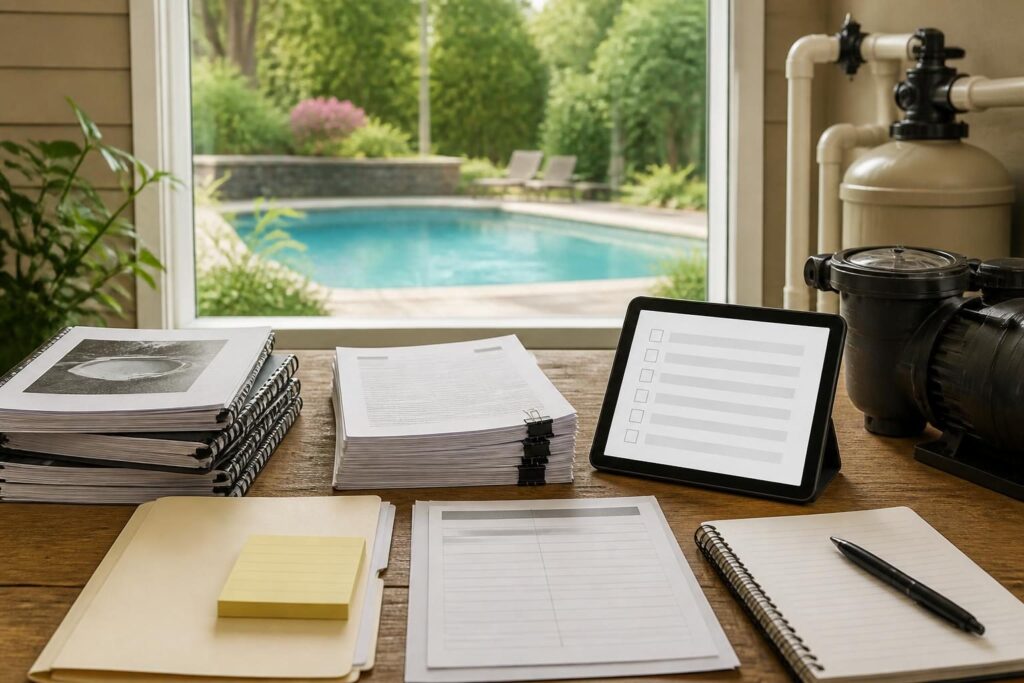
A pool warranty document checklist can help you organize the paperwork that arrives with a new residential pool. The goal is not to decide whether a warranty covers a dispute. Instead, review each document, note its instructions, and know whom to contact when a question arises.
Pool warranty paperwork often includes several separate documents. The pool builder, shell or surface manufacturer, pump manufacturer, heater manufacturer, automation supplier, cover company, and other product makers may each provide different terms. Their documents may use different start dates, registration processes, exclusions, and service channels.
Start with a complete warranty file
Begin by gathering every document before placing papers in long-term storage. Look through the contract, proposal, change orders, invoices, equipment manuals, startup notes, inspection records, and final handover materials. The builder or manufacturer may print a warranty statement separately, include it in a product manual, or deliver it through an online account.
For a useful pool warranty document checklist, create one row for every covered item. Avoid putting the entire project under one label such as “pool warranty.” That phrase may hide important differences between construction work, materials, equipment, and optional features.
- Builder or installer workmanship documents
- Interior finish, shell, coping, deck, or structural material documents
- Pump, filter, heater, salt system, cleaner, and automation warranties
- Lighting, cover, lift, alarm, and accessory documents
- Registration confirmations and purchase records
- Service contacts and instructions for submitting a request
Keep the original digital files in a backed-up folder. Store paper copies in a dry location. Use clear file names, such as “pump-warranty-registration” or “surface-care-instructions,” so another household member can find them.
Separate coverage by product and responsibility
A builder warranty and a manufacturer warranty are not automatically the same. One document may address installation or workmanship. Another may address a product defect. A third may provide instructions for maintenance rather than a promise of coverage.
Read the heading and coverage description for each document. Record the covered item, model number, serial number, purchaser, installer, start date, end date, and required contact. If the document uses terms you do not understand, ask the issuing company or a qualified professional for clarification. Do not assume that similar wording creates identical coverage.
Use this table or a spreadsheet to keep the information visible:
| Item | Document to locate | Details to record |
|---|---|---|
| Pool surface | Finish or material warranty | Product, installation date, care instructions, contact |
| Circulation equipment | Manufacturer warranty | Model, serial number, registration status, service path |
| Heating equipment | Heater warranty | Fuel or power type, installer details, exclusions, contact |
| Controls and accessories | Product-specific documents | Account details, registration, support method, transfer terms |
The product’s model and serial numbers matter. Photograph each label before equipment becomes difficult to access. Keep those images with the corresponding manual and invoice.
Check registration deadlines and start dates
Some manufacturers request registration soon after purchase or installation. The document may identify a website, form, required receipt, or deadline. Write that deadline in a calendar and save proof after completing registration.
Do not assume that the date of contract signing, delivery, installation, startup, payment, or first use controls every warranty. Different documents may define their own starting point. Record the wording as written and ask the issuer to confirm any uncertainty.
Your pool warranty document checklist should include these registration questions:
- Is registration required, recommended, or unavailable?
- What information must the owner submit?
- Does the form require an installer, dealer, or authorized service provider?
- What confirmation number or email should you save?
- Does registration change the available service process?
Save screenshots or confirmation emails. A calendar reminder can also help you review registration status before the stated deadline. If the online form rejects your information, keep a dated note and contact the listed support channel.
Read exclusions and maintenance duties carefully
Warranty documents often describe circumstances that they do not cover. These may relate to improper installation, misuse, unauthorized modifications, unsuitable water conditions, freezing, chemical exposure, corrosion, power problems, lack of maintenance, weather events, or normal wear. The exact language varies by document.
Do not convert a general exclusion into a conclusion about your own situation. Use it as a prompt to identify records and questions. Ask the issuing company what maintenance evidence it recommends, which service professional should perform a task, and what records it wants you to retain.
Maintenance duties may include water testing, cleaning, filter care, winter protection, freeze protection, equipment inspection, proper chemical use, or following a manufacturer’s operating schedule. The correct routine depends on the equipment and installation. Follow the supplied instructions and seek qualified guidance when they conflict or seem incomplete.
For water-care background, the CDC guidance on home pool water treatment and testing explains general testing and treatment considerations. It does not replace the instructions for your specific products or the advice of a qualified pool professional.
Review service contacts and claim steps
A warranty document may direct you to the builder, dealer, manufacturer, installer, authorized service provider, or another support department. Write down each contact in your warranty spreadsheet. Include the phone number, web address, email, business hours, and the information the contact requests.
Look for a process rather than only a phone number. The document may ask for photographs, model and serial numbers, proof of purchase, installation details, maintenance records, or a written description. Keep copies of anything you submit.
Use neutral, specific notes in your records. Include the date, equipment involved, visible condition, operating symptoms, measurements taken by a qualified person, and the response received. Do not alter equipment or attempt repairs that could affect safety or future service without appropriate professional guidance.
A service log can include:
- Date and time of the observation
- Product name, model, and serial number
- What happened and whether the equipment was running
- Photos or videos, stored with descriptive file names
- Water-care or maintenance records requested by the document
- Contact name or department, date contacted, and reference number
- Next stated step, if one was provided
Check transfer rules before selling or buying
Warranty transfer rules deserve attention when ownership may change. Some documents describe the warranty as transferable. Others require registration, written notice, a fee, proof of sale, an authorized inspection, or a transfer within a stated period. Some product warranties may not transfer at all.
Do not promise a buyer that coverage will transfer unless the issuing document and company confirm it. Instead, identify the applicable procedure and save the response. Provide the new owner with manuals, invoices, registration confirmations, service records, equipment details, and maintenance instructions.
When reviewing a transfer, ask:
- Which specific products or work items can transfer?
- Who must request the transfer?
- What deadline applies?
- What records or fees are required?
- Will the new owner receive confirmation?
These questions organize the paperwork without interpreting anyone’s legal rights or obligations.
Connect warranty records to the project file
Warranty documents are easier to use when they sit beside the rest of the project record. Keep the final contract, approved changes, equipment schedule, plans, invoices, inspection records, manuals, startup instructions, and handover materials together. A change can affect a model number, installation responsibility, or service contact.
Related documentation practices appear in this pool construction change order checklist. For equipment details, you can also review the guidance on comparing variable-speed pool pumps. The aim is continuity: the records should show what you selected, installed, changed, and received at handover.
At handover, confirm that you received current documents rather than generic product literature. The new pool handover checklist can help you organize manuals, access information, startup guidance, and records.
A practical review schedule
Review the file at several points instead of waiting for a problem. First, check it when the project documents arrive. Next, verify registration and model information after installation. Then, update the file after equipment replacement, major service, ownership transfer, or a change in maintenance routine.
Set a yearly reminder to check whether contact information, online accounts, and maintenance records remain current. Also confirm that backups open correctly. A simple folder structure can include “contracts,” “warranties,” “equipment,” “maintenance,” “service,” and “photos.”
Use this final pool warranty document checklist before closing the file:
- Every installed product has a matching document or noted gap.
- Model and serial numbers match the installed equipment.
- Registration deadlines and confirmations are recorded.
- Exclusions and maintenance instructions are flagged for review.
- Service contacts and claim steps are easy to find.
- Transfer requirements are recorded without making assumptions.
- Invoices, photographs, manuals, and service notes have backup copies.
- Unanswered questions are listed for the builder, manufacturer, or qualified specialist.
Keep this pool warranty document checklist with the project file so future service questions have a clear starting point.
Warranty paperwork is an organizing tool, not a substitute for professional advice or a determination of coverage. North Carolina requirements and project responsibilities can vary with the property, contract, products, local jurisdiction, and work performed. Consult the issuing company, local inspections department, licensed pool contractor, electrician, engineer, or another qualified professional when a question involves installation, safety, maintenance, code, or a technical condition.