
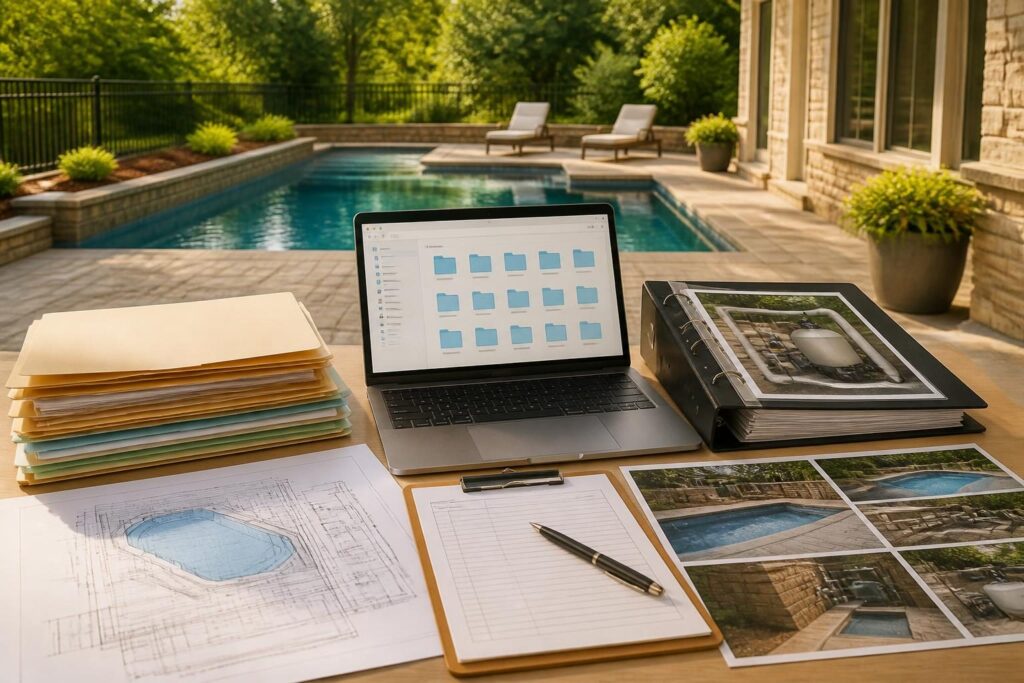
Before excavation begins, create a pool construction document organization system that makes important information easy to find. A clear system can help you compare approved plans, track decisions, preserve payment records, and prepare for inspections without relying on memory or scattered email threads.
North Carolina pool projects may involve local permits, site conditions, utilities, septic systems, drainage, electrical work, inspections, and several trade professionals. Requirements can vary by jurisdiction and property. Your records should support communication, not replace advice from the local inspections department or a qualified professional.
Why organize pool documents before work starts?
Pool construction creates records at different times and in different formats. A drawing may arrive as a PDF, a selection may be confirmed by email, and an equipment manual may come from a manufacturer website. Without a consistent method, the latest approved information can become difficult to identify.
Good organization helps answer practical questions:
- Which plan or specification is currently approved?
- What did the contract include when it was signed?
- Who approved a change, and when?
- Which invoice matches a payment?
- What work did the inspector review or did you photograph before coverage?
- Where are the manuals, model numbers, and warranty records?
Think of the system as a project map. It should show the decisions that shaped the work and preserve the records you may need during construction, at handover, or during future maintenance.
Set up a simple pool project folder structure
Use one main folder for the project. Keep it in a location that is backed up and accessible to the adults who manage the home. A cloud folder can provide convenient access, while a local drive or external backup gives you a second copy. This structure forms the core of your pool construction document organization system.
A useful top-level structure looks like this:
- 00_Project Index
- 01_Contract and Scope
- 02_Plans and Approvals
- 03_Site and Existing Conditions
- 04_Selections and Specifications
- 05_Correspondence and Meetings
- 06_Changes and Approvals
- 07_Invoices and Payments
- 08_Inspections and Tests
- 09_Photos and Videos
- 10_Equipment and Manuals
- 11_Handover, Warranties, and Maintenance
The numbers keep folders in a predictable order. Avoid creating too many nested folders at first. Add subfolders when the project produces enough files to justify them.
Create a project index
Place a short index in the first folder. It can be a spreadsheet or a simple document. Include the project address, key contacts, permit identifiers, contract date, current plan revision, major equipment, and the date of the latest update.
Do not place sensitive personal information in a broadly shared folder. Limit access to payment details, identity documents, and private account information. The index should point to records without exposing information that others do not need.
Use consistent file names and revision labels
A reliable pool construction document organization system depends on file names that explain what each file contains. A good name should show the date, document type, subject, and status or revision.
Use a format such as:
YYYY-MM-DD_DocumentType_Subject_Revision_Status
Examples include:
PoolPlan_2026-08-04_Layout_Rev03_APPROVED.pdfEmail_2026-08-07_DeckingSelection_APPROVED.pdfInvoice_2026-08-12_ProgressPayment_02.pdfPhoto_2026-08-19_EastWall_PreBackfill_001.jpgInspection_2026-09-03_Record_Electrical.pdf
Use one date convention throughout. Include “DRAFT,” “REVIEW,” or “APPROVED” only when the status is clear. Never overwrite an older plan. Save a new copy when a revision arrives, then record which version controls the work.
For photos, use sequential numbers and meaningful locations. A photo named IMG_4312.jpg is difficult to use later. A name such as Photo_2026-08-19_SouthSide_ConduitBeforeCover_003.jpg gives useful context.
Organize plans, approvals, and site records
Keep drawings and approvals together, but separate them from informal sketches. Store the signed contract, scope documents, site plans, grading information, structural details, equipment layouts, and approved revisions in the plans folder.
Maintain a “current documents” subfolder only if you update it carefully. Add a text file called READ_ME_CurrentDocuments.txt that lists the controlling plan name, revision date, and approval status. Archive older versions instead of deleting them.
Site records may include surveys, utility notifications, septic information, soil or drainage reports, and photographs of existing conditions. Property-specific documents require review by the appropriate professional. For excavation planning, keep the confirmation or reference associated with your North Carolina 811 notification in the site folder.
Permits and inspection requirements can depend on the local authority and adopted code. Save permit applications, issued permits, approved drawings, correction notices, inspection results, and final records. For state building-code documents and interpretations, homeowners can begin with the North Carolina Office of State Fire Marshal document library, then confirm current local requirements.
Track selections and specifications before construction
Selections often affect scope, cost, lead times, installation details, and future maintenance. Create a selection log rather than relying on a series of messages.
Useful columns include:
- Item and location
- Selected product, color, finish, or model
- Alternative considered
- Date selected
- Person or company confirming the selection
- Price impact, if documented
- Related plan or specification
- Current status
Include coping, decking, tile, interior finish, lighting, automation, pump, filter, sanitation equipment, covers, fencing, gates, landscaping interfaces, and drainage-related items when applicable. Record model numbers exactly as shown in the proposal or manufacturer literature.
If you change a selection, preserve both the original and revised record. A linked change document should explain what changed without making assumptions about responsibility or future performance.
Keep correspondence and decisions searchable
Email is often the largest source of project information. Create a project email label or folder and apply it consistently. Save important messages as PDFs when they confirm scope, approvals, dates, instructions, selections, or unresolved questions.
Use a meeting and decision log with these fields:
- Date and participants
- Topic discussed
- Information provided
- Decision made or question left open
- Documents affected
- Next action and responsible party
- Follow-up date
Keep messages factual and specific. Instead of writing “the pool plan changed,” note the drawing title, revision, affected area, and confirmation you received. This approach improves clarity without turning ordinary project records into conclusions about a disagreement.
Connect changes, invoices, and payments
A change should have a clear connection to the document it affects. Create a change register with a unique number, such as CO-001. Record the date, description, related plan, selection, price information, schedule information, approval status, and supporting files.
Save the signed or otherwise confirmed change record with the related email and revised drawing. Do not assume a conversation is complete approval. Ask the responsible party how changes should receive authorization and documentation under the project agreement.
For invoices and payments, use a spreadsheet with invoice number, date, amount, stated work, payment date, method, and receipt location. Store bank details and other sensitive information securely. Keep records that show what each payment relates to, but do not publish them in shared project folders without protecting private data.
For additional ideas, review this pool construction change documentation guide. The goal is a traceable record, not a complicated accounting system.
Build an inspection and photo record
Photos are most useful when they show location, scale, timing, and what was visible. Photograph the site before work, major construction stages, pipe and conduit routes, equipment connections, drainage features, barrier components, and areas that will become covered.
Take photos from several angles. Include a reference object when appropriate, but do not enter unsafe areas or interfere with active work. Ask the contractor or inspector what documentation is appropriate before concrete, backfill, or other covering work occurs.
Pair photos with a log containing:
- Date and approximate time
- Location on the property
- What the image shows
- Related plan, inspection, or change number
- Whether the work was open, covered, or complete
Store inspection records separately from photographs, then link them in the index. A practical inspection preparation guide can help you think through permits, approved plans, access, and correction records.
Prepare equipment manuals and handover records
Create an equipment register before installation. List each item, manufacturer, model, serial number, installation location, installer or service contact, manual location, warranty document, and maintenance requirement.
Include pumps, filters, heaters, salt or chlorine systems, automation controls, lighting transformers, covers, valves, water features, and related electrical equipment when present. Keep the product manual and installation instructions together, even when a technician provides separate copies.
At handover, request records for startup, operating instructions, water-care guidance, equipment settings, access credentials, replacement parts, and service contacts. Do not modify electrical connections or equipment settings unless directed by the appropriate qualified professional.
You can also compare your final records with this new pool handover checklist. After completion, move finalized records into a long-term home-maintenance folder and keep a backup.
Use a weekly document routine
A pool construction document organization system works best when you update it during the project. Set aside a short weekly review period. Rename new files, upload missing records, update the index, and identify unanswered questions. Using the same pool construction document organization system from planning through handover also reduces duplicate files.
Before construction starts, confirm that you have:
- A signed contract and scope of work
- The latest plan and revision history
- Permit and approval records available to you
- A selection and specification log
- A change register
- An invoice and payment tracker
- A correspondence and meeting log
- A photo naming method
- An inspection record folder
- An equipment and manual register
- At least two secure backups
For long-term storage ideas, see common pool project records to keep after completion. A calm, consistent system gives you better information at each decision point.
Requirements involving permits, barriers, inspections, excavation, drainage, septic systems, electrical work, and site conditions require local or professional verification. Consult the local inspections department, licensed pool contractor, licensed electrician, engineer, surveyor, septic professional, or another qualified specialist when the project calls for it. Build a Pool in North Carolina provides homeowner education, not a substitute for that project-specific guidance.