
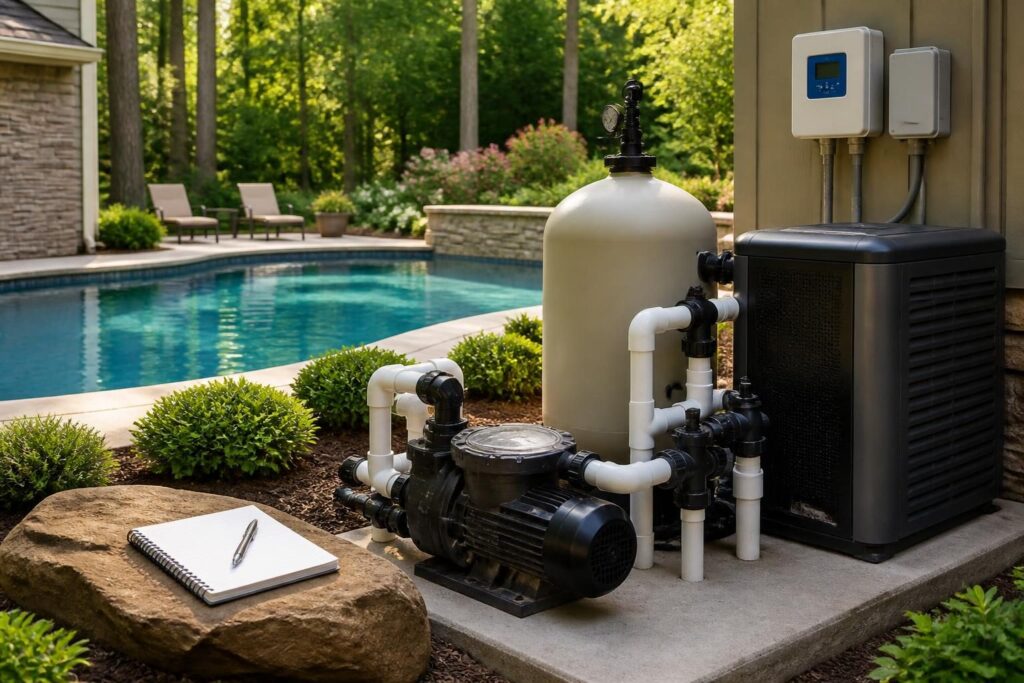
A pool equipment startup readings log gives you a practical baseline during the first operating days. Instead of relying on memory, you can record how the pump, filter, heater, sanitation system, controls, and water respond under normal conditions.

Commissioning is the process of starting, testing, and explaining newly installed equipment. Your contractor or service professional should perform the technical setup. Your role is to observe, ask questions, and preserve the readings that may help with future maintenance.
Why record readings after pool equipment commissioning?
New equipment can operate differently as water temperature, weather, bather load, and operating schedules change. A first-day reading is not a permanent performance standard. It is a reference point for your specific pool, plumbing layout, equipment package, and normal settings.
Good records can help identify a gradual change. For example, a rising filter pressure may deserve attention when it appears with weaker returns or reduced flow. Heater operation may show different behavior as outdoor temperatures change. Sanitation settings may require different adjustments as water demand increases.
For comparison purposes, a pool equipment startup readings log is most useful when every number includes the conditions present at the time.
Record the circumstances beside every number. Include the date, time, water temperature, equipment schedule, recent weather, and whether anyone had been swimming. A number without context is harder to interpret.
- Use the same units shown by the equipment or test method.
- Photograph display screens when practical.
- Write down the selected operating mode, not only the displayed value.
- Keep contractor notes, manuals, and test results with the log.
For water-treatment readings, compare your process with current CDC guidance on home pool water treatment and testing. The CDC information does not replace product instructions or local professional advice.
Pool pump and flow readings to capture
The pump moves water through the circulation system. Many modern pumps display speed, power, flow estimates, or operating alerts. The available information depends on the pump model and its sensors.
On each early operating day, record the pump’s scheduled speed or mode. If the display provides a flow value, record it with the speed and valve positions. Do not assume a displayed flow estimate equals a separately measured flow rate.
| Item | What to record | Why it helps |
|---|---|---|
| Pump mode | Schedule, speed, or selected program | Shows the conditions behind other readings |
| Displayed flow | Value and unit, if available | Creates a reference for circulation changes |
| Power information | Watts, current, or energy data if shown | Helps compare operating patterns |
| Alerts | Exact message and time | Preserves useful troubleshooting details |
| Sound and vibration | Normal, changed, or concerning observation | Documents a new operating baseline |
Check that the pump basket appears properly seated and that the lid area remains dry. Avoid opening a pressurized system or removing a lid while the pump operates. Ask the commissioning professional to demonstrate safe shutdown and restart steps.
Energy readings also benefit from context. A variable-speed pump may use different power at different speeds. ENERGY STAR explains performance considerations for certified pool pumps. Use the manufacturer’s instructions and a qualified professional when evaluating electrical or energy questions.
Enter the pump mode and displayed flow together in your pool equipment startup readings log. This makes later comparisons more useful than recording either number alone.
Filter pressure and circulation baseline
The filter removes suspended material from the water. Filter pressure depends on the filter, pump speed, valve arrangement, water level, plumbing, and system condition. For that reason, the gauge reading is most useful when you record the settings around it.
With the system operating in its normal filtration mode, record the pressure shown on the gauge. If the system has more than one normal speed, record a pressure for each important schedule. Include whether the filter is a cartridge, sand, or diatomaceous earth system.
Also note the water appearance and return strength. These observations do not prove that the system is operating correctly, but they add context to the number. If pressure changes quickly, flow appears weak, the pump loses prime, or an alarm appears, stop guessing and contact the responsible professional.
- Record filter pressure after the system has run long enough for a stable reading.
- Note the pressure after any cleaning or backwash procedure.
- Record valve positions if they affect filtration or water features.
- Do not open the filter until the system is shut down and pressure is relieved.
A separate maintenance history can make later decisions easier. For related recordkeeping, see this guide to pool filter media replacement records.
Add the normal filter pressure to the pool equipment startup readings log after the system reaches a stable operating condition. Record the pump speed and valve arrangement beside it.
Heater readings during the first operating days
A heater record should show what the system was asked to do, not simply whether the water felt warm. Depending on the model, the display may show water temperature, setpoint, operating status, error messages, inlet and outlet temperatures, or another diagnostic value.
Record the water temperature before heating, the selected setpoint, the operating mode, and the time the heater started and stopped. If the system displays a heater status or fault code, copy the message exactly. Avoid interpreting a code without the product manual or qualified service support.
Weather matters. Add the approximate outdoor conditions, cover position, and whether the pool had recently been used. A covered pool and an uncovered pool can place different demands on a heater. These notes help explain why operating times vary.
Do not adjust gas, combustion, refrigerant, electrical, or safety controls as part of home troubleshooting. Those systems require the appropriate qualified professional. Keep model and serial information with your pool heater startup records for future service and warranty questions.
Sanitation system and water-treatment readings
Sanitation systems help manage microorganisms in pool water. The equipment may use chlorine generation, chemical feed, dosing, ultraviolet treatment, ozone, or a combination. Some systems display a production percentage or feed rate. That setting is not the same as a water-test result.
Record the sanitation system type, selected output or feed setting, operating hours, and any displayed warnings. Then record water-test results using the method recommended for your system. Include sanitizer, pH, and any other tests your professional or product instructions identify as important.
Write down when chemicals were added and when the sample was taken. Note recent rain, heavy use, water replacement, or unusual debris. A test result can change with time and conditions, so do not compare readings without considering the surrounding events.
- Record the test date, time, method, and units.
- Identify whether the result came from a home test or a professional test.
- Note the sanitation setting at the time of sampling.
- Follow product labels and professional instructions before changing settings.
If chemistry trends look unusual, review the circulation and sanitation records together. This can give a service professional better information than a single test result.
Temperature, flow, and water-feature notes
Temperature readings should use the same location or display whenever possible. Record pool water temperature, heater setpoint, and outdoor temperature if known. If the pool has a spa, note the spa temperature separately.
Water features can change the flow path and equipment demand. Record whether spillways, jets, bubblers, cleaners, or other features were on or off. Include the valve configuration or a labeled photo if the setup is not obvious.
A useful pool equipment startup readings log can include short observation periods rather than constant monitoring. One entry at startup, one during the main schedule, and one after a heater or feature cycle may be enough for an initial reference. Your professional can recommend a more specific method for your equipment.
Controls, sensors, and automation records
Automation systems coordinate equipment through a controller, app, remote panel, or schedule. Record the controller model, date and time shown by the system, active programs, and equipment assigned to each circuit.
Test each homeowner-facing function demonstrated during handover. Record whether the pump, heater, lights, cleaner, water feature, and sanitation equipment responded as expected. Do not treat a successful app command as proof of electrical or code compliance.
Useful control records include:
- Normal filtration schedule and pump speeds
- Heater enable settings and temperature limits
- Sanitation output schedule
- Names assigned to valves, circuits, and equipment
- Sensor locations and displayed readings
- Alarm messages, reset steps, and support contacts
Keep a photo of normal valve positions and controller screens. A clear map can reduce confusion later. You may also find this pool plumbing valve labeling plan useful when organizing the equipment area.
How to organize the first-week record
Use one row for each observation period. A simple spreadsheet or paper form works well if the fields stay consistent. Avoid recording only unusual events. Normal readings are what make later comparisons useful.
| Date and time | Operating conditions | Readings and observations | Action or note |
|---|---|---|---|
| When the entry was made | Weather, cover, use, features | Pump, filter, heater, flow, temperature, chemistry | Adjustment, alert, question, or no action |
At the end of the first operating period, ask the commissioning professional to review the record. Confirm which readings are estimates, which require a test instrument, and which values should prompt a service call. Save the final file with manuals, model numbers, photographs, warranty documents, and startup notes.
North Carolina requirements and equipment practices can vary by jurisdiction, property conditions, adopted codes, utilities, and project scope. Consult the local inspections department for permitting or inspection questions. Use a licensed pool contractor, electrician, engineer, surveyor, septic professional, or other qualified specialist when the issue involves their field. A startup log supports those conversations, but it does not replace professional commissioning or safety review.