
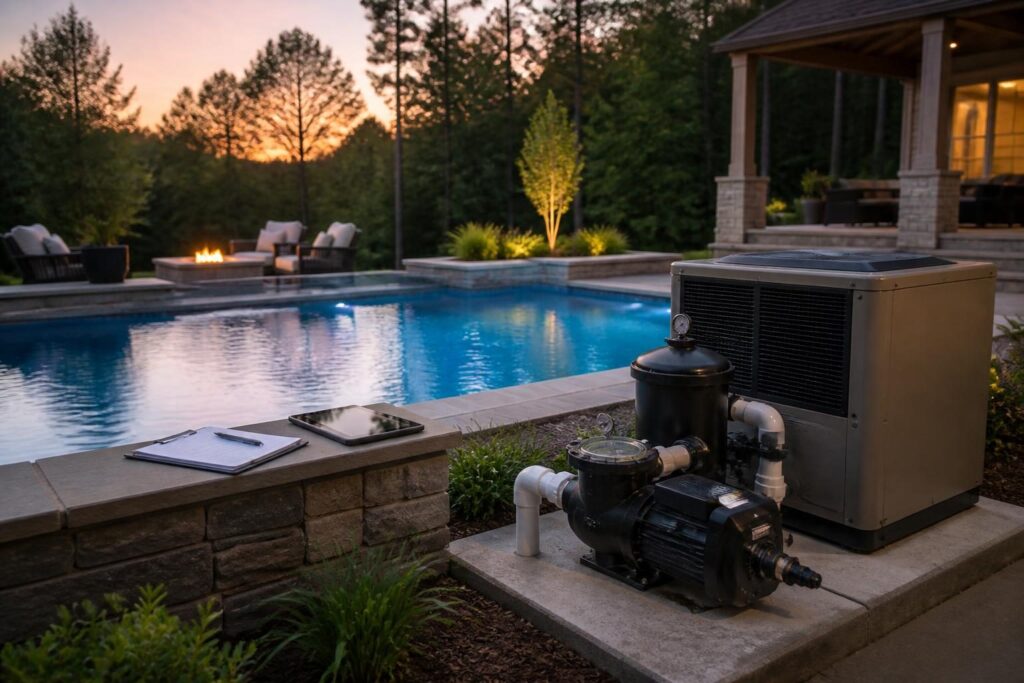
A residential pool equipment energy monitoring checklist can help North Carolina homeowners understand where electricity goes. Instead of guessing from a monthly utility bill, record what each major device does, when it runs, and what changes follow.

This process is not about chasing the lowest possible number. Pumps must support circulation and water care. Heaters may need to run for comfort. Lighting and automation add convenience. The goal is a useful record that helps you ask better questions and make informed adjustments.
Why track pool electricity use separately?
Your household bill combines many loads, including heating and cooling, appliances, water heating, and the pool. A single bill rarely shows whether a new schedule changed pool consumption. It also cannot explain a sudden increase on its own.
Pool equipment often operates in patterns. A pump may run for several daily periods. A heater may operate only when the water needs heat. Lights may run for short evening periods, while automation equipment may remain ready continuously.
Tracking these patterns gives you context. You can compare a normal week with a heat-demand period, a heavy-use weekend, or a season with more debris. Keep water quality, equipment protection, and manufacturer instructions ahead of energy savings.
What the utility bill can and cannot tell you
Record the bill’s total usage, billing dates, and any available daily data. Those figures describe the whole home, not just the pool. Weather, occupancy, air-conditioning demand, and billing-cycle length can affect the result.
For a better comparison, note major household changes beside your pool record. A new heat pump, extended air-conditioning use, or electric vehicle charging can hide a small pool-related change.
Build a residential pool equipment energy monitoring checklist
Start with an equipment inventory. Write down the pump, heater, lights, salt system if present, cleaner, booster pump, control panel, and other devices. Record model information from labels or manuals, but do not remove covers or open electrical enclosures.
- Equipment name and location
- Manufacturer and model, if available
- Rated voltage or power information shown on the label
- Normal operating purpose
- Schedule, including start and stop times
- Control method, such as a timer, app, panel, or manual switch
- Recent service, repair, or programming change
Include the date and the person who made each entry. A simple spreadsheet works well. A paper notebook can also work if you keep it near the equipment records and use consistent terms. This residential pool equipment energy monitoring checklist is most useful when every entry follows the same format.
Do not estimate electrical capacity from appearance. Label information may not show actual use, and a qualified electrician should handle electrical testing or changes. For location and service-access questions, review pool electrical equipment location planning with the appropriate professional.
Record pump operation before changing the schedule
The pump is often the most regular electrical load in a pool system. Record each operating period rather than writing only “pump on.” Note whether the pump runs at a low, medium, or high setting when the system provides those options.
For each day, capture:
- Start and stop times for every period
- Speed or power setting, if shown by the controller
- Pool use and unusual weather
- Water clarity and circulation observations
- Filter pressure, if you already monitor it as part of normal care
- Any alerts, priming problems, or interruptions
Use the same routine for several ordinary operating days before drawing conclusions. A single day may be misleading after storms, cleaning, heavy swimming, or a water-care adjustment.
When you review the record, compare energy data with the pool’s operating needs. Shorter operation is not automatically better if water quality declines or equipment cycles become unsuitable. The article pool pump run time in North Carolina can help frame questions about temperature, debris, use, and sanitizer demand.
Questions for a pump review
- Does the schedule match the pool’s actual use?
- Can the controller show different speeds or power levels?
- Will the pump run longer after storms or heavy debris?
- Are alerts appearing at the same time as unusual consumption?
- Can a qualified pool professional explain the current settings?
Track heater operation and heat-demand periods
Heater energy use can vary more than pump use. Record the set temperature, water temperature if displayed, outdoor conditions, cover use, and time spent heating. Note whether the heater operates during scheduled swimming periods or maintains temperature between uses.
Do not compare a warm-weather maintenance week with a week when you heated the pool for an event. Mark those periods clearly. A cover, wind exposure, air temperature, water temperature, and desired comfort level can all affect heating demand.
Record error messages and shutdowns without attempting internal repairs. Fuel-burning heaters may also involve ventilation and combustion concerns. Heat pumps and other systems have different operating characteristics. Ask the installer or qualified service professional which readings matter for your model.
For maintenance-related observations, use the pool heater maintenance checklist as a discussion aid. Energy tracking should support safe operation, not replace required maintenance.
Include lighting, automation, and secondary equipment
Lighting may use less energy than a pump or heater, but it still belongs in the record. Note fixture type if known, the number of lights, brightness setting, and daily schedule. Record special lighting scenes separately from routine evening operation.
Automation can be easy to overlook. A controller may operate valves, sanitizer equipment, lights, heaters, and pumps. Some components use electricity while waiting for commands. Note whether the system is active continuously, follows a schedule, or responds to remote access.
Also record equipment that runs only occasionally. Examples include a booster pump, water-feature pump, air blower, cleaner, or heat-maintenance accessory. A rare device can still explain a noticeable change when it runs for a long period.
- Write down the exact event time for unusual operation.
- Save screenshots of schedules before editing them.
- Record the old and new setting after every change.
- Note who approved or made the adjustment.
- Watch for a related change in water quality or comfort.
Choose a safe way to measure electricity
There are several ways to collect information. A utility portal may show whole-home daily usage. Equipment controllers may show run hours. Some systems provide energy estimates. A qualified electrician can discuss whether dedicated monitoring equipment is suitable for your installation.
Do not place a consumer plug-in meter on hardwired pool equipment unless a qualified professional confirms that method is appropriate. Never open a panel, alter wiring, bypass a disconnect, or work near energized equipment. Water and electricity require careful separation and professional handling.
Before installing any monitoring device, ask whether it is rated for the location, compatible with the equipment, and installed without interfering with required protection. Keep documentation for the device, installation, settings, and readings it produces. Add those records to your residential pool equipment energy monitoring checklist rather than relying on memory.
For broader electrical records and final-review questions, see residential pool electrical bonding and grounding review questions. That resource is homeowner education, not a substitute for licensed electrical work or local review.
Review the record and make one change at a time
After collecting a baseline, summarize operating hours, major settings, and unusual events. Compare similar periods. For example, compare two ordinary weeks with similar weather and pool use rather than comparing a quiet spring week with a midsummer heat wave.
Change one setting at a time when possible. Record the date, reason, previous setting, new setting, and observation period. Then watch both energy use and pool performance. If you change pump speed, heater temperature, and lighting at once, you may not know which change affected the result.
Use these review questions:
- Which device operates most often?
- Which device has the largest change between ordinary and high-demand periods?
- Do run hours match actual pool use and water-care needs?
- Are heating periods clearly separated from circulation periods?
- Did a schedule change create alerts, poor circulation, or comfort problems?
- Can the equipment professional explain an unexpected pattern?
Keep an energy record that remains useful
Save monthly summaries with equipment manuals, service records, controller screenshots, and utility bills. Use clear file names with the date and equipment name. Keep original readings instead of saving only your conclusions.
A practical monthly entry might include the billing period, whole-home usage, pool schedules, pump settings, heater hours, lighting hours, automation changes, weather notes, and water-care observations. Add a short “next question” field so unresolved issues do not disappear.
Energy records can also help during service visits. A professional may understand an issue faster when you can show when the pattern changed. Records do not prove the cause of a problem, but they provide useful context.
Use energy information without losing sight of safety
Efficiency decisions must fit the whole pool system. A lower setting may reduce electricity but affect circulation, filtration, heating, sanitation, or freeze protection. The correct response depends on the equipment, installation, property, and operating conditions.
For pump efficiency information, homeowners can consult ENERGY STAR’s pool pump guidance. Product certification and general energy information do not determine the right setting for a particular pool.
Build a Pool in North Carolina encourages homeowners to treat monitoring as a record-keeping tool. If readings are confusing, the system shows repeated alerts, or you plan electrical or equipment changes, consult the local inspections department, licensed pool contractor, qualified electrician, engineer, or other appropriate specialist. Verify current North Carolina and local requirements before work begins.