
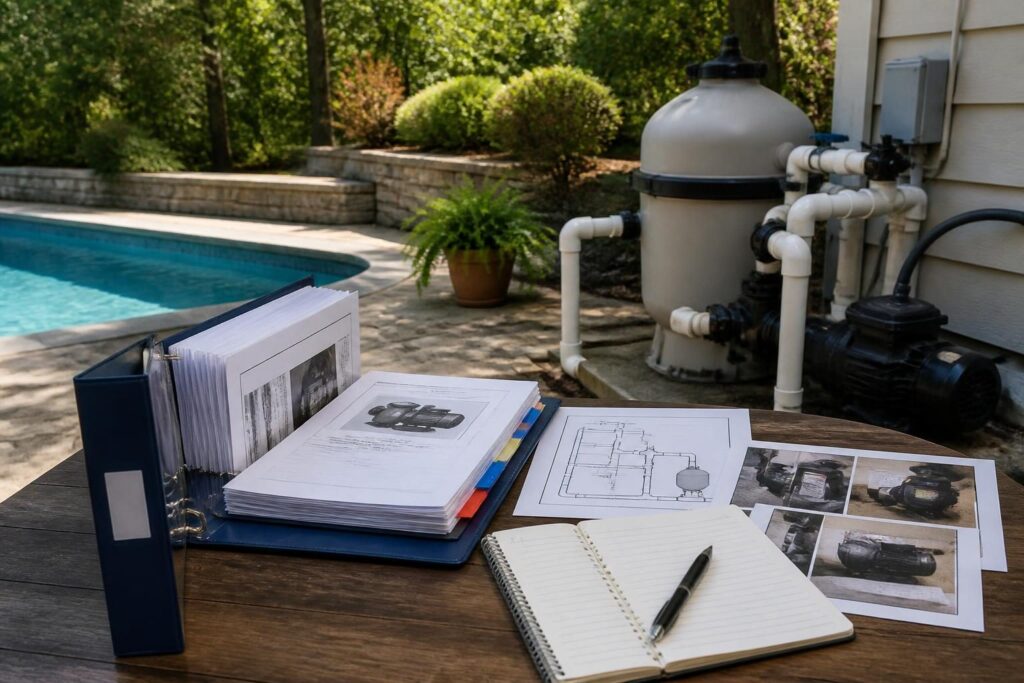
A pool equipment manuals and labels homeowner file gives you one reliable place to find the information needed to operate, maintain, service, and eventually replace pool equipment. It can prevent a routine question from becoming a search through boxes, email attachments, and faded stickers.

The file does not replace instructions from a manufacturer or advice from a qualified professional. Instead, it connects those sources to your specific pool. North Carolina projects can involve different equipment, controls, site conditions, utilities, and local requirements, so record what applies to your property.
Start with one file and a simple equipment map
Choose a storage system before you collect documents. A labeled binder, a cloud folder, or both can work. Keep the digital copy backed up, and store the paper copy somewhere dry and accessible. Do not place it inside a damp equipment enclosure.
Create one overview page at the front. List each major component in the order water moves through the system. The exact layout varies, but a typical list may include the skimmer, pump, filter, heater, sanitizer, valves, returns, lighting controls, and automation panel.
Give every component a short ID, such as P-01 for the pump or F-01 for the filter. Use that same ID on your notes, photos, diagrams, and service records. This makes it easier to describe a problem without relying on informal names.
- Equipment ID and plain-language name
- Manufacturer and complete model number
- Serial number, if present
- Installation date or replacement date
- Location, such as equipment pad or interior control panel
- Power source or control location, recorded without opening electrical equipment
- Installer, service provider, or supplier contact details when available
Photograph each label in good light. Take a second photograph showing where the component sits. Keep original images at full resolution, then create smaller copies for quick reference.
Record labels, manuals, and settings together
A manual explains what a product can do. Your homeowner notes explain how that product was configured for your pool. Keep both. A replacement manual found online may not match the installed model, revision, or control system.
For each component, create a one-page equipment record. Add the model information first, followed by the document list and current operating notes. Mark uncertain information as “verify” rather than guessing. This page is the working core of your pool equipment manuals and labels homeowner file.
Useful equipment-record fields
- Manual title, revision, and file name
- Warranty document and proof-of-purchase location
- Normal display readings or pressure observations
- Current schedules, setpoints, and modes
- Valve positions for normal circulation, cleaning, draining, or other approved functions
- Routine cleaning or inspection interval from the manual or service provider
- Required replacement parts and compatible part numbers
- Error codes observed and the action taken
- Date, company, and work performed for each service visit
Do not write a setting as a universal recommendation. Record it as a snapshot: “Observed on this date” or “Set during handover.” Pool use, weather, water testing, equipment changes, and professional adjustments can make a previous setting unsuitable later.
For pumps, filters, heaters, salt systems, and automation, save the manufacturer’s operating and maintenance instructions. You can also compare general pump efficiency information through ENERGY STAR’s pool pump resource, while treating your installed equipment manual as the controlling operating reference.
Make shutoffs and controls easy to identify
In an urgent situation, a homeowner or service professional may need to stop equipment quickly. Your file should show where controls and shutoffs are located, but it should not encourage anyone to open electrical panels or perform unsafe work.
Ask the installing contractor or licensed electrician to identify the appropriate disconnects and controls. Record the label, location, and purpose in plain language. If a control serves more than one component, note that clearly.
- Equipment disconnect location
- Controller, timer, or automation-panel location
- Water valves and their documented normal positions
- Gas or fuel shutoff location, if applicable
- Water supply or make-up connection, if applicable
- Emergency contact instructions supplied by the contractor
Use photographs with arrows or simple numbered callouts. Avoid marking over manufacturer labels. Instead, attach a nearby durable tag that matches the equipment ID in your file.
Have a qualified electrician review any electrical identification or control question. North Carolina electrical and building requirements can depend on the project, adopted code, inspection authority, and site conditions. For code documents and interpretations, start with the North Carolina Office of State Fire Marshal resource, then confirm current local requirements with the inspections department.
Add diagrams that show what is hidden
Equipment labels tell you what is installed. Diagrams help you understand how the system connects. Keep the final plumbing layout, equipment-pad drawing, electrical documentation supplied for the project, and automation diagram in a dedicated section.
Ask for a clean “as-installed” diagram if the final arrangement differs from an earlier plan. The diagram should identify major lines, valves, drains, returns, equipment, controls, and access points. It should also show the direction of normal water flow when that information is available.
Photograph open trenches, underground conduits, sleeves, and pipe routes before they are covered, where the project schedule permits. Add approximate references to fixed features, such as the house wall or pool edge. Do not treat photographs as a substitute for a surveyed drawing or professional record.
Keep updated copies after changes. A new heater, pump, salt cell, controller, or plumbing alteration can make an old diagram misleading. Put the revision date on every diagram and move outdated versions into an archive folder.
Track maintenance intervals and test results
Separate manufacturer intervals from your own observations. A manual may describe cleaning, inspection, or replacement tasks. Your log can show when those tasks actually happened and what you found.
Create a table with the equipment ID, task, recommended interval, completed date, result, next review date, and notes. Include a space for the service provider or homeowner to initial the entry.
Water-test records belong in the same reference system, even if they have a separate log. Record the date, test method, results, weather or unusual conditions, and action taken. The CDC guidance on home pool water treatment and testing can help homeowners understand common testing topics, including chlorine and pH. Follow product instructions and seek qualified help when results are confusing or unsafe.
Useful entries may include:
- Filter pressure before and after cleaning
- Salt or sanitizer readings, where applicable
- Water balance results and adjustments
- Filter cleaning or media replacement
- Pump basket cleaning
- Heater inspection or service
- Automation schedule changes
- Storm, power outage, freeze, or extended shutdown notes
Do not infer a fault from one reading alone. Record the observation and ask a qualified pool professional to interpret unusual pressure, flow, electrical, gas, or water-quality conditions. Add each dated result to the pool equipment manuals and labels homeowner file so later service has useful context.
Build a replacement record before you need one
Equipment eventually changes. A replacement record helps you preserve compatibility information instead of relying on memory. Start a page for each major component, even when the equipment is new.
Record the original model, serial number, installation date, dimensions, connections, control method, and required accessories. Add photographs of labels and connection points. Save receipts, warranty terms, invoices, and commissioning notes.
When a component is replaced, keep both records. Mark the old item as removed and add the new model as the current item. Update the equipment map, diagram, settings page, spare-parts list, and service contacts.
Ask the installer these practical questions:
- Which existing controls or fittings must remain compatible?
- What settings changed after installation?
- Which manuals and parts should stay with the homeowner?
- What maintenance interval applies to the replacement?
- What signs require a service call rather than homeowner troubleshooting?
- Which records should be retained for warranty or future service?
Keep a short “do not assume” list. Examples include unknown valve positions, missing model numbers, unverified wiring labels, and settings copied from a different controller. This list turns uncertainty into a future task.
Use a handover checklist and review it yearly
Review the new pool handover checklist when collecting manuals, access information, startup records, and safety documents. A separate pool maintenance log template can help structure recurring entries.
At handover, confirm that every installed component has a matching file entry. Check that photographs are readable, documents open, and diagrams reflect the final installation. Ask the contractor to explain normal operation and to identify tasks that require licensed or specialized service. Keep the pool equipment manuals and labels homeowner file available for that review.
Once each year, conduct a file audit:
- Compare the equipment list with the equipment pad.
- Replace faded or missing labels without covering safety information.
- Archive retired manuals and equipment records.
- Update emergency and service contacts.
- Confirm that current settings and schedules are dated.
- Back up digital files in a second location.
- Add records for repairs, replacements, and unusual events.
Build a Pool in North Carolina encourages homeowners to treat documentation as part of ownership, not as paperwork that ends at installation. A clear file can support safer decisions and more efficient service without turning the homeowner into an equipment technician.
When a question involves permits, barriers, electrical work, gas, structural conditions, drainage, septic systems, or equipment repair, consult the local inspections department, licensed pool contractor, electrician, engineer, surveyor, septic professional, or another qualified specialist as appropriate. Requirements can vary by North Carolina jurisdiction, property conditions, adopted code, utilities, septic systems, flood zones, and project scope.