
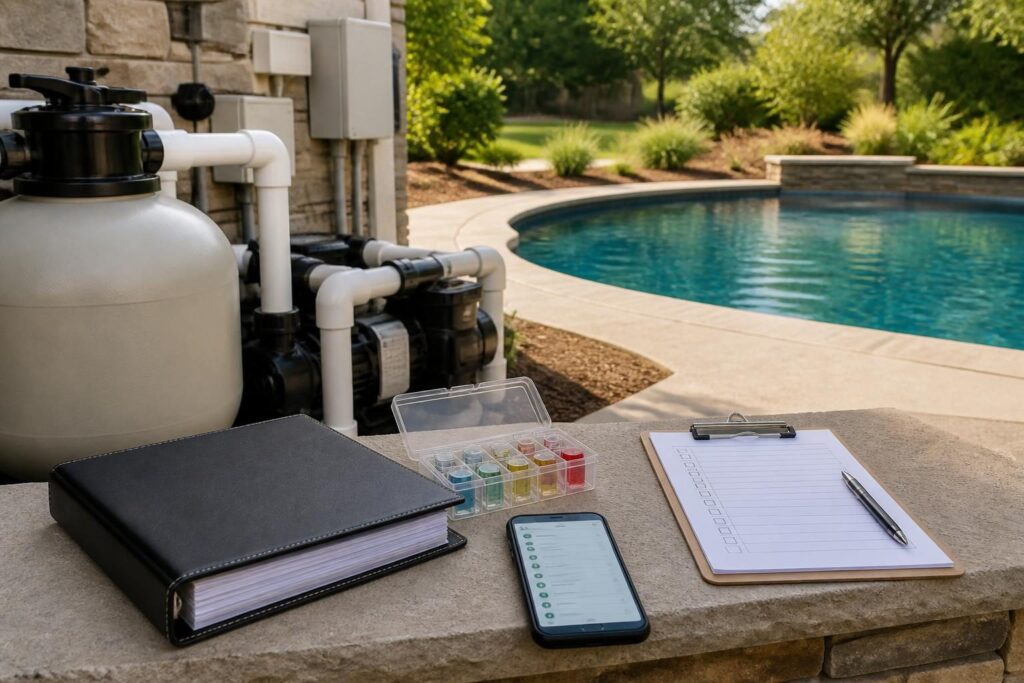
A residential pool maintenance log template gives North Carolina homeowners one place to record water tests, equipment settings, cleanings, repairs, weather events, manuals, and open questions. It can make handover easier and give future service professionals useful history.

The goal is not paperwork for its own sake. A good log helps you notice changes, explain what happened, and separate routine care from issues that need qualified attention. It also preserves information that can become difficult to find after construction ends.
Why a pool maintenance log helps after handover
Handover is the point when project documents and operating knowledge move from the construction team to the homeowner. Manuals alone may not show how your pool was configured on a particular day. A log adds practical context and turns a residential pool maintenance log template into a useful service history.
Service professionals may need to know when a filter was cleaned, whether a pump schedule changed, or whether heavy rain preceded cloudy water. Dated records can answer those questions without relying on memory.
Keep the log separate from casual notes on a phone. Use a consistent format and back it up. A spreadsheet, shared document, printed binder, or maintenance app can work. Choose a system that household members can update and find quickly.
- Use one date and time format throughout.
- Record measurements with their units.
- Write the equipment status before making a change.
- Note who performed the task or visit.
- Attach photos, invoices, test strips, and service reports where useful.
Build a Pool in North Carolina can be one source of homeowner education, but your project records should come from the people and professionals involved with your specific pool.
Set up the core sections of your maintenance record
A useful residential pool maintenance log template has several linked sections. Each section answers a different question. Record the measurement, the change, the work, and any unresolved issue.
1. Pool profile and handover baseline
Start with a profile page. Record the pool address, completion or handover date, pool volume if supplied by project documents, surface type, water features, sanitizer system, filter type, pump model, heater, automation system, cover, and lighting controls.
Do not estimate technical information that you do not know. Copy model numbers and settings from labels, manuals, commissioning notes, or a qualified professional. Leave a field marked “to confirm” when information is missing.
Also record the baseline condition at handover. Note water clarity, visible surfaces, equipment status, control-panel settings, and open items listed in the handover paperwork. Photos can show the starting condition.
2. Water test entries
Create a repeatable table for test results. Possible columns include date, time, water temperature, sanitizer reading, pH, alkalinity, calcium hardness, stabilizer, salt level, test method, and action taken.
Record the method used, such as a home kit, test strip, digital reader, or service visit. Results from different methods may not compare directly. Follow product instructions and current professional guidance rather than treating the log as a substitute for testing advice.
The CDC guidance on home pool water treatment and testing can help homeowners understand why regular testing matters. Local conditions, pool equipment, and product instructions still affect the appropriate routine.
Track equipment settings and operating changes
Equipment settings can change gradually or during troubleshooting. Without a record, it may be hard to tell whether a later symptom began before or after a schedule, valve position, or temperature setting changed.
Use a dedicated equipment page for the pump, filter, heater, sanitizer, automation controls, lights, water features, and cover system. For each item, record the normal setting as supplied or confirmed by the appropriate professional. This makes the residential pool maintenance log template useful when ownership or service providers change.
- Pump schedule, speed, and operating mode.
- Filter pressure reading and gauge condition.
- Valve positions for circulation or water features.
- Heater target temperature and operating mode.
- Salt-cell, chlorinator, or sanitizer settings.
- Automation schedules and programmed circuit names.
- Any alarm, error message, reset, or power interruption.
When you change a setting, write down the old value, new value, date, reason, and person who made the change. Do not adjust electrical components, gas systems, plumbing, or safety controls unless the task is appropriate for you and supported by the manufacturer or a qualified professional.
For service access and equipment details, see this guide to pool equipment pad planning for homeowners. A clear log works best when technicians can also reach and identify the equipment safely.
Make cleaning and inspection entries easy to repeat
Routine cleaning records should take little time. Create checkboxes for skimming, brushing, vacuuming, basket cleaning, waterline inspection, cover inspection, and deck-area observation. Add a notes field for anything unusual.
Record filter cleaning separately. Include the date, starting pressure if known, reason for cleaning, cleaning method, replacement parts, and pressure after the system returns to normal operation. Filter type and manufacturer instructions matter, so do not assume every filter uses the same process.
This article on cleaning a residential pool filter based on pressure and water conditions provides related background. Your service professional or equipment manual may identify information that belongs in your own record.
Add a visual inspection section. Note cracks, loose fittings, unusual sounds, leaks around equipment, damaged covers, stained surfaces, changes in water level, or blocked drains. Describe what you observed without diagnosing the cause.
Document weather events, repairs, and service visits
Weather can provide useful context. Record heavy rain, high winds, freezing conditions, nearby construction, extended power loss, and unusual heat. Include the date, approximate duration if known, visible effects, and actions taken.
After a major event, photograph the pool area and equipment if it is safe to do so. Do not enter flooded equipment areas or handle electrical equipment in wet conditions. If there is a safety concern, stop and contact the appropriate qualified professional.
For repairs and service visits, use one entry per event. Include:
- Date and company or professional contact information.
- Reason for the visit or reported symptom.
- What the provider inspected or serviced.
- Parts, products, or settings that changed.
- Photos, invoices, reports, and receipts.
- Recommendations and any expected follow-up.
- Questions that remain unanswered.
Ask the service provider to identify the work performed and any limitations of the visit. Keep the invoice even when the repair seems minor. Small details may help establish a useful sequence if the same symptom returns.
Keep manuals, warranties, and open questions connected
A maintenance log should point to documents, not replace them. Create a document index with the file name, equipment or topic, date received, storage location, and revision or model information.
Include manuals, installation information, approved plans, permits, inspection records, startup notes, product registrations, warranties, receipts, test reports, and service agreements when applicable. Store digital copies in at least one backed-up location. Keep paper copies protected from moisture.
The guide to pool project records to keep after completion can help you expand this index. A separate handover checklist may also help you confirm that manuals, access details, supplies, and operating instructions arrived.
Open questions deserve their own table. Use columns for the question, date raised, person or company contacted, promised response if any, supporting document, current status, and next step. Avoid guessing an answer just to close the item.
Use a simple review routine
Set a regular time to review the log. Look for missing measurements, repeated alarms, unusual pressure changes, recurring water-quality concerns, and tasks that were postponed.
Compare current equipment settings with the handover baseline. If a change improved the pool, record that result. If it did not, note when the previous setting was restored or when professional advice was requested.
Consider a monthly summary with five lines:
- Routine work completed.
- Measurements that changed.
- Weather or outside events that affected the pool.
- Service or repairs completed.
- Attention needed next.
This summary makes the record easier to share with a new service provider, household member, or future buyer. It also reduces the need to send a long collection of disconnected messages and photos.
A reusable page structure
You can build your own residential pool maintenance log template with these pages:
- Pool profile: equipment, surfaces, controls, documents, and handover baseline.
- Water tests: date, time, readings, method, weather, and action.
- Routine care: cleaning, baskets, filter work, cover checks, and observations.
- Equipment: settings, alarms, power events, and approved changes.
- Weather events: rain, wind, freezes, heat, and visible effects.
- Service and repairs: visit details, reports, invoices, parts, and follow-up.
- Document index: manuals, warranties, permits, plans, and photos.
- Open questions: contact history, status, and next action.
Use consistent file names, such as “2026-08-14-filter-cleaning” or “2026-08-14-water-test.” Keep original photos and reports. Add a short description rather than relying on memory later.
Know when the log is not enough
Records support better conversations, but they do not determine whether a pool is safe, compliant, properly wired, structurally sound, or correctly repaired. North Carolina requirements can vary by local jurisdiction, adopted code, property conditions, utilities, septic systems, flood zones, and project scope.
Before changing electrical equipment, gas connections, structural components, drainage, barriers, or septic-related features, verify current requirements with the local inspections department and the appropriate licensed professional. For code documents and interpretations, review the North Carolina Office of State Fire Marshal resources and confirm the local application.
Bring your completed log to a licensed pool contractor, electrician, engineer, surveyor, septic professional, service technician, or other qualified specialist when the issue falls within their field. A clear record can help them work efficiently, while professional evaluation remains essential for decisions involving safety, code, design, electrical work, drainage, water treatment, or repairs.